TNEB name transfer guide
TNEB Name Transfer Form: Documents, Status and Order Copy
Prepare the ownership proof, identity proof, latest bill details, and service connection number before using the official TNPDCL/TANGEDCO name transfer workflow. This independent guide helps you avoid wrong links and know what to save after approval.
- Know when name transfer is the right request
- Prepare bill, ID, ownership, and consent records
- Use official application and status pages only
- Save acknowledgement, approval order, and updated bill details
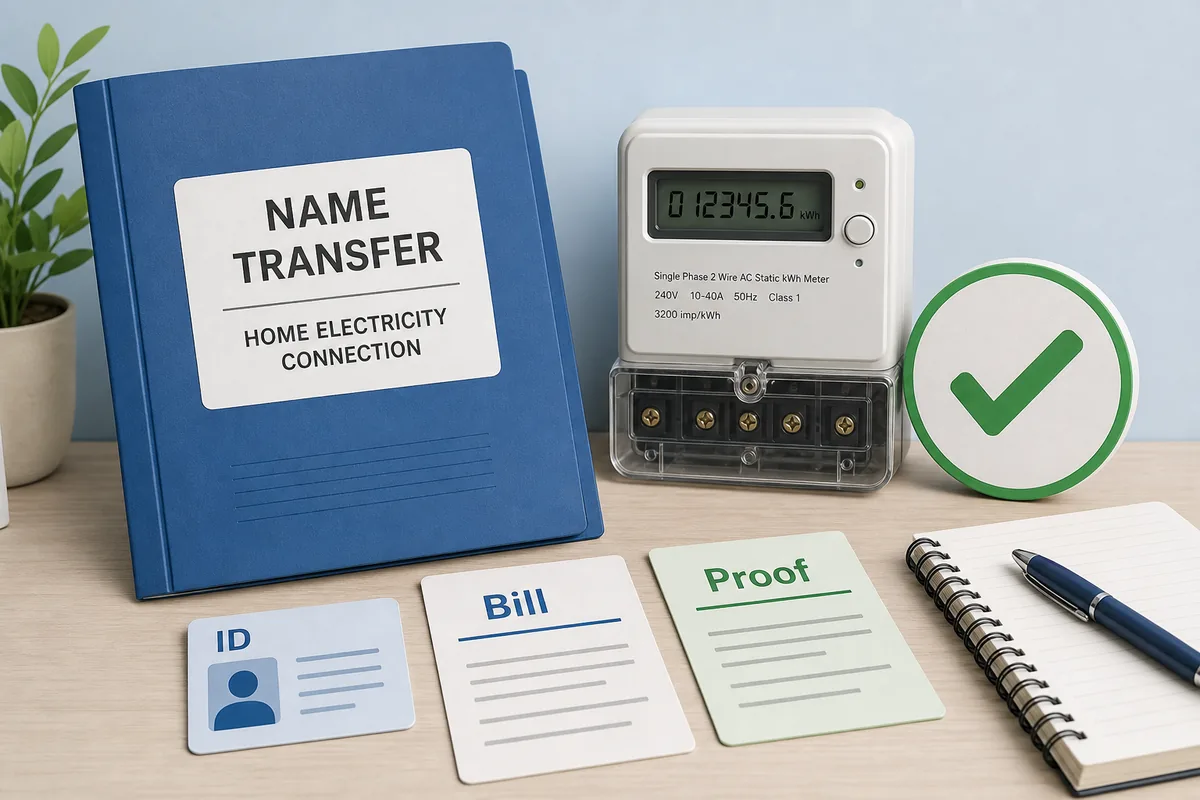
Quick answer
What Is TNEB Name Transfer?
TNEB name transfer is the process of changing the registered consumer name for an existing Tamil Nadu electricity service connection. It is usually needed after property purchase, inheritance, family settlement, rental-to-owner update, or correction of an old account name. The electricity supply may remain at the same address, but the account record must match the person legally responsible for bills, deposits, service changes, complaints, and future payment records. Treat it as an administrative account update, not as a bill calculator task.
This site does not submit applications or collect documents. Use it as a preparation checklist, then rely on the official TNPDCL/TANGEDCO portal or your local section office for final submission and approval. If the portal wording differs from this guide, follow the official page because form names, accepted proof, fee rules, and status labels can change.
Before you start
- Confirm the service connection number and address on the latest bill.
- Collect applicant ID proof, ownership proof, and the previous consumer or legal-heir documents when required.
- Check whether the official portal asks for a form upload, acknowledgement number, mobile verification, or office follow-up.
- Keep fee receipts, acknowledgement number, status screenshots, and the final order copy.
- Verify the next bill to confirm the name has actually changed in the account record.
Documents
Documents Commonly Needed for TNEB Name Transfer
Exact requirements can differ by service category, local section office, and official portal updates. The safest approach is to prepare the documents below and verify the current list on the official page before uploading or visiting an office.
Latest EB bill
Use the latest bill to confirm service connection number, address, tariff category, meter details, and current account name before requesting a transfer. If the bill has arrears, a disputed payment, or a wrong address, resolve or document that issue first so the name transfer is not delayed for a separate billing reason.
Applicant identity proof
Government ID is commonly used to establish the new applicant's name. Match spelling carefully with the desired account name, including initials, expansion of initials, and address spelling where possible. A mismatch between ID, property document, and requested name can trigger a correction request.
Ownership or occupancy proof
Sale deed, allotment proof, settlement document, legal-heir record, or other accepted proof may be required depending on the reason for transfer. Keep a clean scan and the original document available because some cases may require office verification even after an online start.
Previous owner or consent record
Some cases need consent, no-objection, death/legal-heir proof, or supporting documents from the existing registered consumer. This is especially important when the connection is still in an old owner's name or when multiple heirs or joint owners are involved.
Mobile and contact details
Use a reachable mobile number and email if the portal asks for OTP, acknowledgement, or status notifications. Do not use a broker's contact number unless you are comfortable depending on that person for every correction message and final update.
Fee and acknowledgement receipt
After submission, keep the receipt or acknowledgement number. You may need it for status tracking, order copy download, local office follow-up, or proof that a payment was made through an authorised channel.
Status workflow
How to Apply, Track Status, and Save the Order Copy
The name transfer journey is not complete just because an application is submitted. Track the acknowledgement, respond to any document correction request, and confirm the updated name on a later bill or official account page. Keep each step separate: application submission proves that the request was filed, status tracking shows whether it moved forward, an order copy or approval note records the decision, and the next bill confirms that the account data was actually updated.
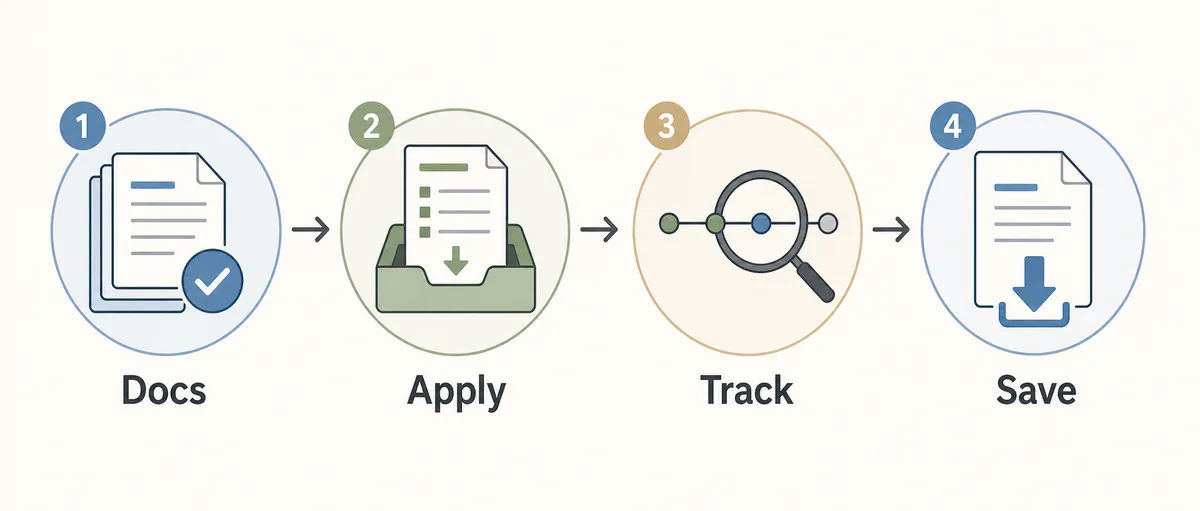
Practical sequence
- Open the official new-service or name-transfer portal, or confirm the current process with the local section office.
- Select the matching service request, enter service connection details, and upload or submit the required documents.
- Pay any applicable charges only through the official portal or authorised office counter, then save the receipt.
- Track status with the acknowledgement or application number until approval, rejection, or correction is shown.
- Download or save the order copy if available, then check a later bill for the updated consumer name.
Useful record habit
Create one private folder with the old bill, submitted form, ID proof copy, ownership proof copy, payment receipt, acknowledgement number, status screenshot, and final order copy. Name each file with the date and service connection number. This simple habit helps if the name is not reflected in the next bill or if the office asks for the same proof again.
Use cases
Which Name Transfer Situation Fits Your Case?
Different cases can require different supporting records. Use this table to prepare the right proof before opening the official workflow.
| Situation | Likely proof to prepare | Next step |
|---|---|---|
| Property purchase | Sale deed, latest EB bill, applicant ID, current address proof, and previous-owner details when requested. | Check the official name transfer form and upload requirements before paying any charge. |
| Inheritance or death case | Legal-heir or succession documents, death certificate when required, bill details, applicant ID, and any family consent required by the office. | Confirm accepted documents with the portal or section office before submission because inheritance cases can need extra proof. |
| Spelling or name correction | ID proof showing the correct spelling plus old bill details, especially when initials, expanded names, or typographical errors are involved. | Ask whether correction or full name transfer is the right service request so you do not file the wrong form. |
| Status already submitted | Acknowledgement number, mobile number, payment receipt, application reference, and the date of submission. | Use the official status page and save any correction message instead of starting a duplicate request immediately. |
| Order copy needed | Approved application number, service connection number, final status reference, and any receipt linked to the request. | Download from the official page when available, or ask the section office for a copy with the acknowledgement number. |
Do not upload sensitive documents to unofficial links, messaging apps, or pages that cannot be verified as TNPDCL/TANGEDCO or government-linked services.
Safety
Safety Checks Before Submitting a TNEB Name Transfer Request
Name transfer uses personal and property documents, so treat it as a sensitive administrative request. A little checking reduces the risk of wrong submissions, payment confusion, or document misuse.
Check the domain first
Use official TNPDCL, TANGEDCO, tnebnet.org, tnebltd.gov.in, or clearly government-linked pages. Avoid short links, social media forms, and pages that copy official logos but ask you to send documents through chat.
Do not share payment secrets
A service request should not require UPI PIN, card PIN, banking password, remote access, or OTP sharing with an unknown person. OTP may be used on an official page, but it should not be dictated to a stranger over phone or chat.
Match address and service number
Verify the service connection number, address, and tariff category before paying charges or submitting ownership proof. A single wrong digit can attach your documents to the wrong account lookup.
Keep private copies
Store submitted documents and receipts in a private folder. Mask unnecessary ID numbers before sharing with a non-official party, and keep the final order copy with your property records.
Official verification
Official Pages to Use for Name Transfer
Use official pages or the local section office for final requirements, form submission, charges, status, and approval records. This guide explains preparation only.
FAQ
TNEB Name Transfer FAQ
Where can I get the TNEB name transfer form?
Start with the official TNPDCL/TANGEDCO application portal or your local section office. Requirements and upload formats can change, so verify the current form before submitting documents. Do not rely on a PDF forwarded in a messaging group unless it clearly matches the current official process. If the official page offers both online submission and downloadable forms, use the option that fits your case and keep a copy of whatever you submit. When in doubt, ask the section office which service request category matches your situation before paying fees or uploading property records.
How can I check name transfer status in TNEB?
Use the official application status page with the acknowledgement or application number. If the page asks for correction, save the message, note the date, and respond through the official channel rather than creating a second request. Status wording can vary, but you are usually trying to learn whether the application is received, under review, pending document correction, approved, rejected, or waiting for office action. Keep the acknowledgement number in text form as well as a screenshot, because it is easy to mistype long references during follow-up.
Can I download the TNEB name transfer order copy online?
If the official workflow provides an order copy after approval, download it from the official page and keep it with your property records. If an online copy is not available, contact the section office with the acknowledgement and service connection number. The order copy or approval record matters because it gives you proof of the administrative decision even before the next bill arrives. After saving it, check the next bill cycle to confirm the updated name, address, and service details are reflected correctly.
Do I need the consumer number for name transfer?
Yes, you usually need the service connection or consumer number from the latest bill so the application is attached to the correct electricity account. Confirm the address and existing name before uploading any ownership document. If you are a tenant, buyer, heir, or family member handling the process for someone else, make sure the connection belongs to the correct premises. A wrong consumer number can cause confusion, rejected documents, or a payment tied to the wrong account record.
Is this website an official TNEB name transfer service?
No. This is an independent preparation guide. Submit documents, fees, and final applications only through official TNPDCL/TANGEDCO pages or authorised offices. This website does not collect identity proof, property proof, OTP, or payment information. The purpose is to help you understand what to prepare and what records to save, while clearly separating guidance from official submission. If any page or person asks for banking secrets, remote access, or document uploads outside official channels, stop and verify first.
What should I check after approval?
Save the order copy or approval message, then check the next bill or official account page to confirm the registered consumer name has changed. If the bill still shows the old name after a reasonable update period, follow up with the acknowledgement number. Also review the service address, tariff category, arrears, and latest payment status, because a name update does not automatically solve unrelated billing or meter issues. Keeping the old bill, acknowledgement, receipt, and new bill together makes future property or reimbursement questions easier to answer.