TNEB new service connection guide
TNEB New Connection: Online Application, Documents and Status
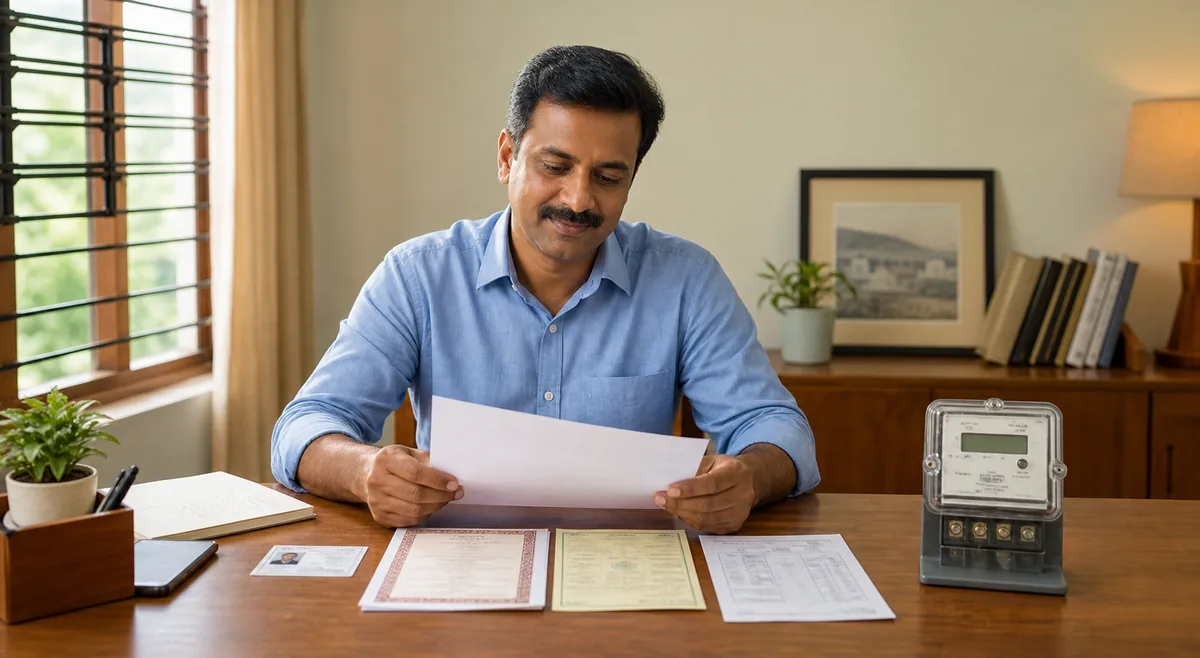
Prepare the correct property, identity, wiring, and address records before starting a new electricity service request. This independent guide explains the official TNPDCL/TANGEDCO workflow, what usually happens after submission, and how to avoid common delays.
- Choose the correct domestic, commercial, temporary, or other service category
- Prepare ownership, identity, address, and electrical safety records before uploading
- Save the application number, payment receipt, and every acknowledgement
- Track inspection, demand notice, meter installation, and service activation separately
Quick answer
How to apply for a TNEB new connection
Start on the official new service connection portal, select the service category that matches the premises, enter the applicant and property details, upload the requested records, and pay only through the official payment flow. The utility then scrutinizes the application, may schedule a site inspection, issues applicable charges or a demand notice, and proceeds toward meter installation after requirements are satisfied.
TNEB is still the common search term, but current official pages may use TNPDCL or TANGEDCO. This website does not submit applications, collect documents, or accept connection charges.
Before you begin
- Confirm whether the request is for a new service, temporary supply, additional load, name transfer, or a different service. Using the wrong category can create avoidable rejection or rework.
- Match the applicant name and premises address across the application, identity record, ownership or occupancy proof, and wiring certificate as closely as possible.
- Scan clear, complete files within the portal's current size and format limits. Do not crop signatures, registration numbers, survey details, or certificate dates.
- Use an accessible mobile number and email address because acknowledgement, correction, inspection, and payment messages may be sent there.
- Create a folder for the submitted form, uploads, payment receipt, application number, inspection note, demand notice, and final service details.
Document checklist
Documents commonly needed for a TNEB new connection
The exact list depends on the service category, load, property status, and current official rules. Review the live portal checklist before submission; the records below are preparation guidance, not a fixed legal list.
Identity and contact proof
Keep a current government-issued identity record, applicant photograph where requested, mobile number, and email address. The applicant name should remain consistent across the form and supporting records. If an authorized representative applies, verify whether authorization and representative identity documents are required.
Ownership or lawful occupancy proof
Prepare the relevant sale deed, property tax record, allotment order, lease or tenancy record, legal-heir document, consent, or other proof accepted for the premises. A tenant or non-owner applicant may need owner consent or an additional undertaking depending on the current procedure.
Premises and address details
Confirm door number, street, village or town, district, postal code, survey or subdivision details when applicable, and a nearby landmark. Incomplete or conflicting location details can delay jurisdiction assignment and inspection scheduling.
Wiring and safety certificate
New connections normally require the installation to be ready and safe for inspection. Use a licensed electrical contractor where required and keep the completion or test certificate, connected-load details, phase requirement, and equipment list accurate. Do not request a lower load simply to reduce initial charges.
Category-specific approvals
Commercial, industrial, multi-storey, agricultural, temporary, high-load, or special premises may need additional plans, licenses, no-objection certificates, development approvals, or technical documents. Use the exact category shown by the official portal and confirm uncertain cases with the local section office before payment.
File and payment preparation
Use readable PDF or image files and check the portal's current size limits. Keep a payment method available only after verifying the domain and application summary. Never send identity, property, or card details to an agent through a messaging app merely because the person claims to speed up approval.
Application process
TNEB new connection online application steps
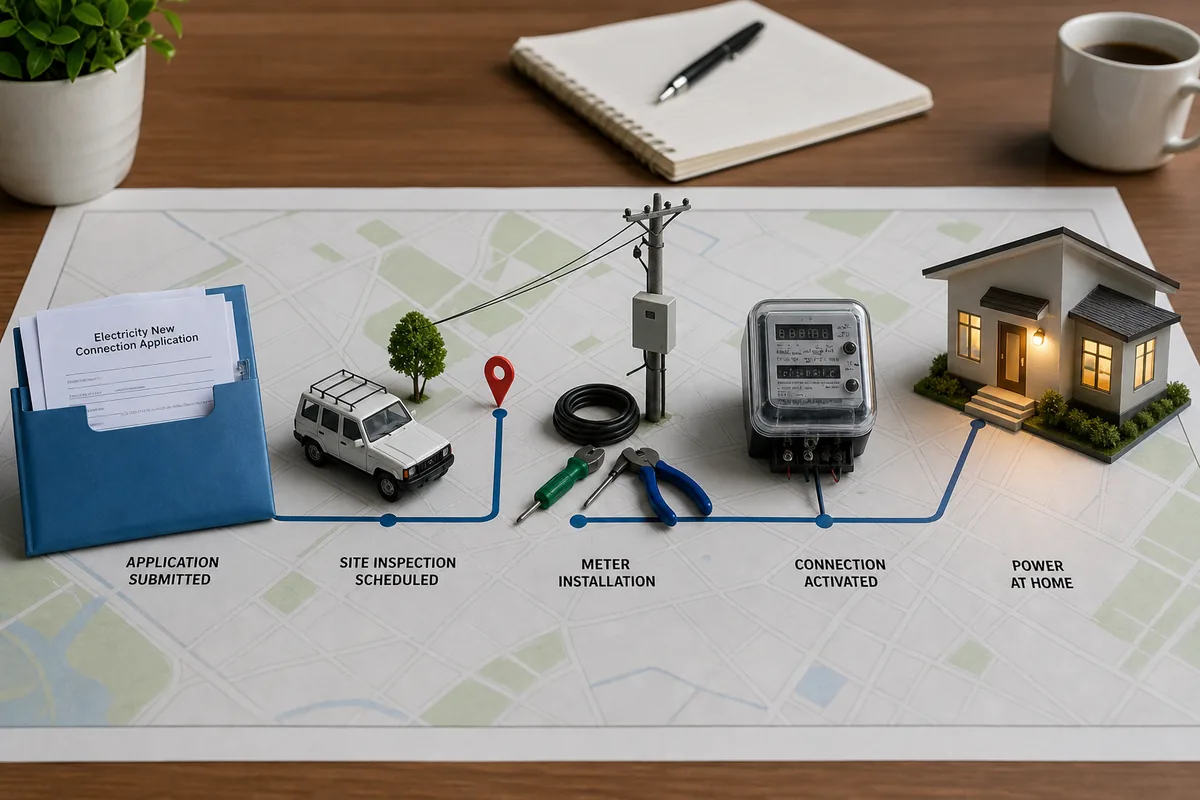
The labels and sequence can change, but a new service request usually moves through application, document scrutiny, field verification, charge assessment, payment, meter work, and activation. Treat each stage as a separate checkpoint instead of assuming payment means the connection is complete.
A practical submission sequence
- Open the official TNPDCL/TANGEDCO new service connection portal and read the current instructions, document list, service categories, and supply code information.
- Choose the correct service category and complete applicant, premises, ownership, load, phase, and contact details without abbreviations that conflict with the records.
- Upload clear documents, review the declaration, and verify every number before final submission. Save a copy or screenshot of the completed summary.
- Record the application or registration number immediately. Pay registration, scrutiny, development, security, meter, service, or other applicable charges only when the official portal displays them for the application.
- Respond promptly if scrutiny requests a corrected file or clarification. Keep the original application number so the correction stays linked to the same request.
- Prepare the premises for inspection: safe wiring, accessible meter location, correct connected load, and an authorized person who can show the property and documents.
- After approval and payment, continue tracking the demand, service work, meter installation, and activation. Save the final service connection number for future bill and status checks.
Do not confuse acknowledgement with approval
A submitted form or successful online payment may only confirm that the request entered the workflow. Final supply can still depend on document approval, technical feasibility, inspection, estimated charges, line work, statutory clearance, and meter availability for the specific premises.
Status and decisions
What each application stage usually means
Status wording varies by portal and office. Use the message together with your acknowledgement, official notices, and local section office communication rather than relying on an unofficial status explanation.
| Stage or issue | What it may mean | What to do |
|---|---|---|
| Submitted or registered | The application was received and an identifier was created; detailed scrutiny may not be complete. | Save the number and receipt, then watch for correction or inspection messages. |
| Document scrutiny | The office is checking identity, ownership, address, load, certificates, and category eligibility. | Upload only the requested correction and keep filenames and pages easy to identify. |
| Inspection pending | A field visit or technical feasibility check may be required before charges or approval. | Keep the premises accessible, wiring complete, and applicant or representative available. |
| Demand or charges issued | The utility has calculated one or more payable amounts for the current stage. | Verify the application number and charge description, pay through the official channel, and retain the receipt. |
| Work or meter pending | Approval or payment may be complete while line work, service cable, meter installation, or scheduling remains. | Use the official reference for follow-up and avoid creating a duplicate application. |
| Returned or rejected | A record, category, technical condition, jurisdiction, or eligibility requirement was not accepted. | Read the reason carefully, correct the root issue, and use the stated appeal, resubmission, or office process. |
Time limits and charges depend on category, load, extension work, approvals, document completeness, and the current Tamil Nadu Electricity Supply Code or official service standard. Verify current figures on the official portal instead of relying on an old blog table.
Avoid delays and scams
Checks before submitting or paying
A new electricity connection involves identity and property records, so domain checks and record discipline matter as much as form completion.
Use official domains
Start from an official TNPDCL, TANGEDCO, TNEB, tnebnet.org, tnebltd.gov.in, or Tamil Nadu government-linked page. Inspect the full address before uploading documents or entering payment details.
Do not invent property details
Survey number, door number, ownership status, connected load, and category should match the premises. Incorrect declarations can cause rejection, reassessment, or later account problems.
Keep payment evidence
Save the official receipt, transaction reference, date, amount, and application number. If money is debited but the portal does not update, use the official support route with evidence instead of paying repeatedly.
Avoid unofficial speed-up offers
Do not send documents, OTPs, card details, or cash to an unknown intermediary promising guaranteed approval. Legitimate technical and document requirements cannot be bypassed safely.
Follow up with one reference
Use the original application number for status, correction, complaint, and office follow-up. Duplicate applications can split records and make payments or inspections harder to reconcile.
Verify current rules
Forms, charges, names of distribution entities, upload limits, and service timelines can change. Treat this guide as preparation help and the current official portal or supply code as the controlling source.
Official resources
Apply and verify on official pages
Use the official portal for the actual application, current documents, status, payment, regulations, and contact details. If a direct page changes, start from the official organization site rather than a copied form.
Frequently asked questions
TNEB new connection FAQ
Where do I apply for a TNEB new connection online?
Use the current official TNPDCL/TANGEDCO new service connection portal. Confirm the domain before entering identity or property information. The portal is the source for current categories, upload formats, declarations, charges, and status options. This independent site only explains preparation and does not accept an application.
What documents are required for a TNEB new service connection?
Common preparation records include applicant identity and contact details, ownership or lawful occupancy proof, premises address and property details, connected-load information, and a wiring completion or safety certificate. Additional approvals may apply to tenants, commercial premises, high loads, temporary supply, agricultural use, multi-storey buildings, or special categories. Always use the live official checklist for your selected category.
How can I check TNEB online new connection status?
Use the application or registration number on the official status channel linked to the new connection workflow. Status may separately show scrutiny, correction, inspection, demand notice, payment, service work, meter installation, or completion. If the status is unclear, contact the responsible section office with the same application number instead of submitting a duplicate.
How long does a TNEB new connection take?
There is no safe universal promise because the time depends on service category, document completeness, technical feasibility, required line extension, inspection, approvals, payment, and meter or material work. Review the current service standard or supply code and the official application messages for the relevant timeline. Delays should be followed up with the original acknowledgement and dated evidence.
How much does a TNEB new connection cost?
The payable amount can include application or registration charges, security deposit, development or service charges, meter-related amounts, line extension work, taxes, and category-specific fees. The official demand shown for your application is more reliable than a generic online estimate. Verify the application number and charge description before payment and keep the official receipt.
Can a tenant apply for a new electricity connection?
A tenant or lawful occupier may be able to apply, but the accepted proof, owner consent, undertaking, indemnity, or deposit requirements depend on the current rules and service category. Do not present yourself as the owner if you are not. Check the official checklist and ask the local section office which occupancy documents are accepted before submitting or paying.
What if my application is returned for correction?
Read the stated reason and correct only the actual deficiency, such as an unreadable file, inconsistent name or address, missing page, wrong category, incomplete certificate, or jurisdiction issue. Keep the original application number and copies of both the first and corrected documents. If the reason appears incorrect, use the official help or grievance route with a concise timeline and evidence.