Official-link and privacy-first guide
TNEB Aadhaar Link Online: 6 Safe Steps and Status Checks
The TNPDCL payment portal still displays a Link Aadhar option as of 25 July 2026, but the linked service may sometimes be unavailable. Start from an official domain, never share an OTP, and verify current eligibility or subsidy rules instead of trusting an old deadline article.
- Prepare the correct service connection number and a reachable registered mobile number.
- Use only the official TNPDCL/TNEB path before entering an Aadhaar number or OTP.
- Check Bill Status or contact the responsible section office when the linking page is unavailable.
Quick answer
Where should you start the TNEB Aadhaar link?
Open the official TNPDCL online payment portal and use its Link Aadhar menu. The menu currently points to an official TANGEDCO application domain. If the page times out or does not load, do not enter details on a look-alike website. Return to the official portal, try later, use the official Bill Status page to review the connection record, or contact TNPDCL with the service connection number.
This independent guide does not collect Aadhaar, consumer, mobile, captcha, or OTP data. It also does not claim that a historical deadline, subsidy condition, approval time, or connection category still applies without a current official notice.
Before you proceed
- Confirm the full official web address and HTTPS connection.
- Find the service connection number on a bill, receipt, or meter card.
- Keep the relevant registered mobile available for OTP or record checks.
- Read the live portal prompts before selecting owner, occupant, or another relationship.
- Save only a non-sensitive acknowledgement or reference; never save or share the OTP.
What to prepare
Details to check before linking Aadhaar with TNEB
A failed attempt is often caused by using the wrong connection identifier, an unreachable registered mobile, mismatched relationship details, or an expired portal session. Prepare the record carefully, but upload or enter identity data only when the official screen requests it.
Service connection number
Use the current number shown on an official electricity bill, e-receipt, white meter card, or Bill Status record. Do not guess the region code or remove leading digits. If you cannot identify the number, use the consumer-number guide before opening the Aadhaar service.
Registered mobile access
The live flow may validate a mobile linked to the electricity record or Aadhaar. Keep both relevant numbers accessible when they differ. If an old TNPDCL number is unavailable, use the official mobile-number update route rather than asking an agent to bypass OTP verification.
Connection-holder relationship
Read the current owner, occupant, tenant, or representative choices on the official screen. Do not choose owner merely to get past a form. When the connection remains in a previous owner's name, compare the name-transfer process and ask the section office which record should be corrected first.
Aadhaar holder consent
The Aadhaar holder should understand why the information is requested and personally control the OTP. Never post an Aadhaar image, number, QR code, or acknowledgement in a public group. Follow UIDAI's advice to use Aadhaar with the same care as other important identity or financial records.
Current official instructions
Old articles may describe deadlines, categories, subsidy consequences, or screen labels from an earlier campaign. Treat the current TNPDCL/TNEB notice and the live form as controlling. If no current official requirement is visible for your category, confirm with TNPDCL before sharing identity data.
A safe device and session
Use a trusted phone or computer, avoid public Wi-Fi, close screen-sharing apps, and do not let the browser store sensitive form data. When a session expires, reopen the service from the official portal instead of following a link sent by an unknown person.
Online process
How to complete the TNEB Aadhaar link online
The exact labels can change. This sequence explains the safe decision points without pretending that this website can submit or confirm the link for you.
Six practical steps
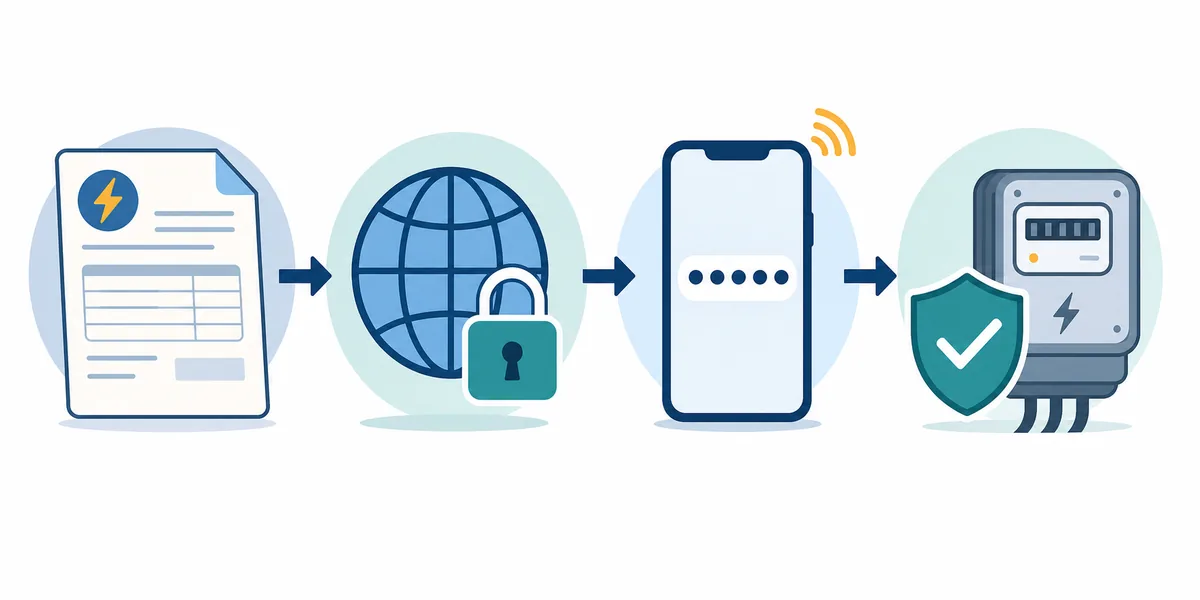
- Start at the official TNPDCL online payment portal and select Link Aadhar from its menu. Check the destination domain again before entering any personal information.
- Enter the service connection number, mobile number, captcha, or other identifiers exactly as requested by the live official form. Stop if the page asks for unrelated card, bank, or messaging-app details.
- Review the displayed connection-holder information. Select only the relationship that truthfully describes the Aadhaar holder and the electricity connection; use official support when no option fits.
- Enter the Aadhaar information only on the verified official page, read the consent statement, and request the OTP. The OTP should remain with the Aadhaar holder.
- Submit once and record the acknowledgement or confirmation without capturing the full Aadhaar number or OTP. Repeated submissions can create confusion when the first request is still processing.
- Verify the outcome through the official Bill Status or confirmation channel shown by TNPDCL. If status remains unclear, contact the local section office or official helpline with the service connection number and non-sensitive reference.
If the official linking page does not open
A timeout does not mean you should use the first third-party form in search results. Return to the official TNPDCL portal, confirm that its Link Aadhar menu still points to the same service, try again later, check the official Bill Status page, or ask the section office. Never send an Aadhaar copy or OTP to someone who promises to complete the link over WhatsApp or a phone call.
Status and troubleshooting
What common TNEB Aadhaar link problems may mean
Portal messages and availability can change. Use this table to choose a safe next step, then rely on the official page or section office for the final decision.
| Issue | Likely explanation | Safer next step |
|---|---|---|
| Link page times out | The application service may be under maintenance, overloaded, or temporarily unreachable even though the official portal still lists it. | Do not switch to an unofficial form. Reopen it from the official portal later and use Bill Status or official support meanwhile. |
| Invalid service number | The entered number, region portion, connection status, or record format may not match the current utility database. | Copy the number from a recent official bill or receipt and compare it with the consumer-number guide and Bill Status page. |
| OTP not received | The relevant registered mobile may be inactive, network delivery may be delayed, or the form may be using a different record than expected. | Do not share the screen or request repeated OTPs rapidly. Verify the registered number through official mobile-update or UIDAI channels. |
| Name or relationship mismatch | The Aadhaar holder and connection holder may differ, or the connection may still carry a former owner or relative's name. | Use the truthful relationship option if available; otherwise ask TNPDCL whether mobile update, name transfer, or office verification is required. |
| Already linked or completed | The utility record may already contain a verified Aadhaar association from an earlier submission. | Avoid submitting again. Check the official status display and keep the confirmation without exposing the Aadhaar number. |
| Status pending or unclear | The request may require verification, may not have reached the final record, or the status page may not expose a detailed stage. | Use the official acknowledgement and service number for follow-up; do not pay an intermediary for a guaranteed approval. |
Do not infer subsidy loss, disconnection, a fixed approval time, or a new mandatory deadline from a generic error. Those consequences require a current TNPDCL/Tamil Nadu official notice for the relevant connection category.
Privacy and scam prevention
Protect Aadhaar and OTP data during the process
Electricity-payment scams often imitate official messages and create urgency. A real-looking logo, caller ID, or forwarded link is not proof that a form belongs to TNPDCL.
Check the complete domain
Start from the TNPDCL/TNEB official site and inspect the address bar after every redirect. Look-alike spelling, URL shorteners, unrelated domains, and forms opened inside messaging apps are warning signs.
Never disclose an OTP
An OTP is an authorization secret, not a support code. TNPDCL, UIDAI, bank staff, or a legitimate helpdesk should not need you to read an OTP aloud or forward a screenshot so they can finish the process.
Minimize stored identity data
Do not save Aadhaar images in shared folders, email drafts, browser autofill, or public photo galleries. If the official flow produces a reference, retain the reference and date without recording the full Aadhaar number.
Reject payment or disconnection pressure
Do not react to a message claiming immediate disconnection unless you can independently verify it on the official bill or status portal. The TNPDCL payment site itself warns consumers about fraudulent payment messages.
Use official correction routes
Mobile-number, name, service-number, or Aadhaar-detail problems should be corrected through TNPDCL, UIDAI, or the responsible section office. An unofficial agent cannot safely bypass ownership, consent, or OTP checks.
Verify changing policy claims
A link remaining visible does not by itself prove a new universal mandate. Check current notices for eligibility, subsidy, deadlines, and accepted categories before relying on an old article or social post.
Official resources
Open the service through verified official pages
The direct Aadhaar application may be temporarily unavailable. When that happens, return to the official payment portal instead of searching for a replacement form. Bill Status can help verify the connection record, while UIDAI provides identity-data safety guidance.
Frequently asked questions
TNEB Aadhaar link FAQ
What is the official TNEB Aadhaar link online?
The TNPDCL online payment portal currently shows a Link Aadhar menu that points to an official TANGEDCO application domain. Start from that official portal or the direct official link listed on this page, verify the full address, and do not enter Aadhaar or OTP data on a third-party form. If the service does not load, try later or contact TNPDCL rather than using an unofficial substitute.
How can I check TNEB Aadhaar link status?
Use the official confirmation channel shown after submission and review the TNPDCL/TNEB Bill Status page with the service connection details. Historical reports say the connection record may show Aadhaar status, but screen fields can change. When no clear status appears, contact the responsible section office with the service number and non-sensitive acknowledgement.
Is TNEB Aadhaar linking mandatory in 2026?
Do not rely on an old deadline article as proof of a current universal requirement. The official payment portal still displays a Link Aadhar option as of 25 July 2026, but eligibility, deadlines, connection categories, and subsidy conditions require a current official notice. Check the live TNPDCL/Tamil Nadu instructions for your category or ask the section office before sharing identity data.
What should I do if the TNEB Aadhaar link page is not working?
Return to the official TNPDCL payment portal and confirm that its menu still points to the same official service. Try again later, clear only the expired session if needed, use the official Bill Status page, or contact TNPDCL. Do not use a form sent through WhatsApp, an ad, a shortened URL, or an unknown agent merely because the official page timed out.
Why is the OTP not coming for Aadhaar linking?
The form may be validating the mobile held in the electricity record or the mobile registered with Aadhaar, and those numbers may differ. Network or portal delays are also possible. Read the live prompt, avoid rapid repeated requests, and use official TNPDCL mobile-update or UIDAI channels when the relevant number is no longer accessible. Never ask another person to receive or disclose the OTP.
Can a tenant link Aadhaar with a TNEB connection?
Use only the relationship options currently displayed by the official form and choose the truthful one. Do not assume an older tenant workflow still applies. If the connection is in a landlord's, previous owner's, or deceased relative's name and no suitable option appears, ask the local section office whether consent, name transfer, mobile update, or in-person verification is required.
Will I lose the 100-unit subsidy if Aadhaar is not linked?
This page does not make that claim without a current official notice for your connection category. Many search results repeat historical subsidy statements as permanent rules. Check the latest TNPDCL/Tamil Nadu notice or your official bill record before concluding that a subsidy was removed because of Aadhaar status.
Can I send my Aadhaar and OTP to a TNEB agent?
Do not send an OTP to anyone. Enter identity data only on a verified official page or provide documents directly through an official office process. UIDAI advises people to use Aadhaar with appropriate care and not place the number or copy in public channels. A person promising immediate approval or threatening disconnection is not a safe reason to share sensitive data.