Tamil Nadu electricity bill guide
TNEB Bill Due Date: How to Check It
Find the payment due date on a TNEB or TNPDCL bill, understand the notice period, and prepare the right next step before you pay. The issued bill and official portal remain the source for your account-specific date.
- Locate the date on the bill or consumer meter card
- Separate due date from the notice period
- Handle a missing or delayed date without guessing
- Keep a receipt and avoid paying twice

Quick answer
Where is the TNEB bill due date?
The TNEB bill due date is normally printed with the bill period, amount payable and service details. For a low-tension household connection, also check the consumer meter card or the official Quick Pay result because that record can show the payment deadline attached to your service. The wording may say due date, last date, payment date or a similar local label. Use the date attached to your current bill instead of copying a date from an older receipt or a social-media post.
This page answers a date-finding question. It does not replace the TNEB online payment guide, the bill-status page or an official account record. If the date is unclear, save the bill month, service connection number and amount shown, then open the official portal or contact the authorised support route. Do not send an OTP, UPI PIN, card PIN or banking password to someone offering to check the date.
A historical Tamil Nadu Electricity Supply Code describes minimum notice rules, but dates and service instructions can change. Treat the current issued bill and official TNPDCL/TANGEDCO page as controlling.
Four quick checks
- Confirm the bill month and the service connection before reading the date.
- Find the due-date or last-date line near the amount payable.
- Compare the same date in the official Quick Pay or status view when available.
- Pay early enough to allow for network delays and save the receipt.
Where to look
Three places that can show the last payment day
Start with the record issued for your connection. Each place has a different job, so a date shown in one place should not be assumed to be a universal rule for every service category.
| Record | What to look for | Why it helps | Do not assume |
|---|---|---|---|
| Current bill or e-bill | Due date, last date, bill month and amount due | It is tied to the period and service shown on the bill | An old bill has the same date |
| Consumer meter card | Entry date, due date and notice-period wording | The card can act as a payment notice for a low-tension service | Every connection follows the same number of days |
| Official Quick Pay or status view | Current bill amount, due date and payment state | It helps cross-check the account before paying | A third-party page is an official record |
| Payment receipt | Transaction date, receipt number and bill reference | It proves what was paid after the transaction | A receipt changes the next bill's due date |
If these records disagree, keep screenshots or PDFs and ask the official service to reconcile the bill. Do not change the date in a calculator until the source record is clear.
Notice period
Due date and disconnection notice are different
The due date is the date by which the bill should be paid under the terms shown for the service. A notice period is the additional time or warning described before a non-payment action such as disconnection. These labels answer different questions: the first tells you when to pay, while the second explains what may happen if payment is not recorded. Calling the whole notice period the TNEB bill due date can make a consumer delay payment unnecessarily.
The Tamil Nadu Electricity Supply Code PDF used for this guide is a historical 2004 source. It describes the consumer meter card as a notice of due dates and sets different minimum timing for LT and HT services, including a clear notice period before disconnection. That context is useful for understanding the terms, but it is not a promise about every current domestic bill. Your issued bill, current tariff or service instruction and the official portal take priority.
If a due date falls near a public holiday, do not rely on a general internet rule. Check the exact date displayed by the official system and pay early. For businesses, apartments or high-tension services, the category may have different billing and surcharge treatment from a household connection. The page is written for the common household question and deliberately avoids turning one historical rule into a universal deadline.
The official source distinguishes LT and HT timing. Always confirm your service category and the current bill before relying on a notice-period explanation.
Read the bill
Match the date to the right bill period
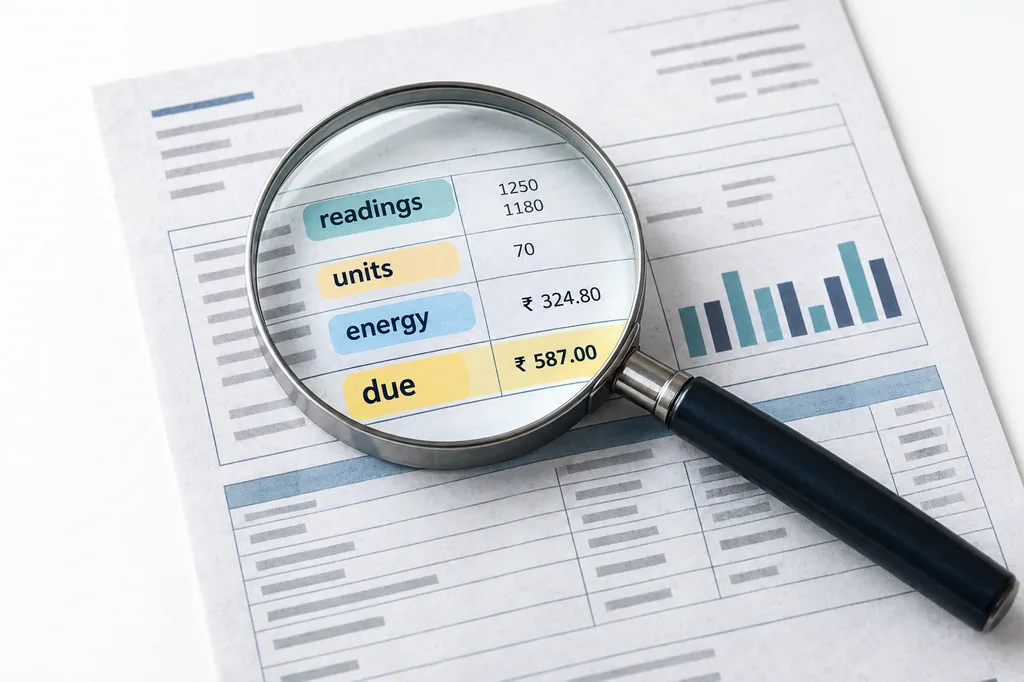
A date is only useful when it is matched to the correct service, billing period and amount. Use this compact reading order before opening a payment page.
| Step | Field | Question to ask | Safe action |
|---|---|---|---|
| 1 | Service number | Is this the connection I intend to pay? | Compare with the previous official receipt without sharing it publicly. |
| 2 | Bill month and reading date | Which period produced this bill? | Check current and previous reading dates. |
| 3 | Amount payable | Is the amount current or an arrear? | Review credits, adjustments and carried-forward lines. |
| 4 | Due or last date | Which date does the issuer label as the deadline? | Save a copy and pay through an official route. |
| 5 | Payment status | Has a previous debit already been recorded? | Check status before starting another transaction. |
The safest way to check the TNEB bill due date is to read the date after you have identified the bill month and service. A consumer may have more than one connection, and a bank message may show a debit without proving that the electricity account has been updated. Match the service number, amount and bill period before deciding whether a second payment is needed.
The bill may also show a previous reading, present reading, assessment mark, arrear, adjustment or subsidy line. Those fields explain the amount but do not automatically change the payment deadline. If the amount looks unexpected, keep the date and amount together in your notes, then compare the official status record. Use the calculator only for an estimate; it cannot see your account's due date or payment history.
For an e-bill or PDF, download the file from the official route and keep the original page. A screenshot from a message or a third-party app can help as a temporary reference, but the official account view is the better source when a date or amount is disputed.
Troubleshooting
When the TNEB bill due date is missing or looks wrong
A blank date can result from a delayed bill posting, an incomplete e-bill view, a changed connection record or a service-specific display. Work through the source checks before guessing.
The new bill has not posted
If the meter was read recently, the amount and due date may appear after the bill is processed. Check the official status or Quick Pay view later, and keep the reading date rather than inventing a deadline.
Check: Confirm the bill month and the official posting status.
A date is shown for another period
A saved receipt or browser autofill can make an older bill look current. Compare the bill month, reading date and amount before using the displayed last date.
Check: Open the current e-bill from the official route.
The amount includes an arrear
An arrear or adjustment can change the amount without creating a new universal deadline. Read each line and ask the official service how the balance is being carried forward.
Check: Separate current charges from carried-forward lines.
The date conflicts across pages
Do not pay twice to resolve a display conflict. Save the two views, check payment status and use the official complaint or support route with the bill reference.
Check: Verify whether a previous transaction is pending or complete.
The connection category changed
Domestic, commercial, apartment common-area and HT services can have different rules. A domestic article or old card cannot settle a category dispute.
Check: Confirm the service category on the issued bill.
A holiday is close to the date
A general holiday rule may not match the date displayed for your account. Pay early and keep the official time-stamped receipt.
Check: Use the current official date and transaction record.
Safe workflow
Check, pay and keep proof in the right order
A good TNEB bill due date routine has three checkpoints: identify the bill, confirm the amount and date, and verify the payment result. Doing them in this order reduces two common mistakes: paying a stale bill and paying again because the first payment has not appeared yet.
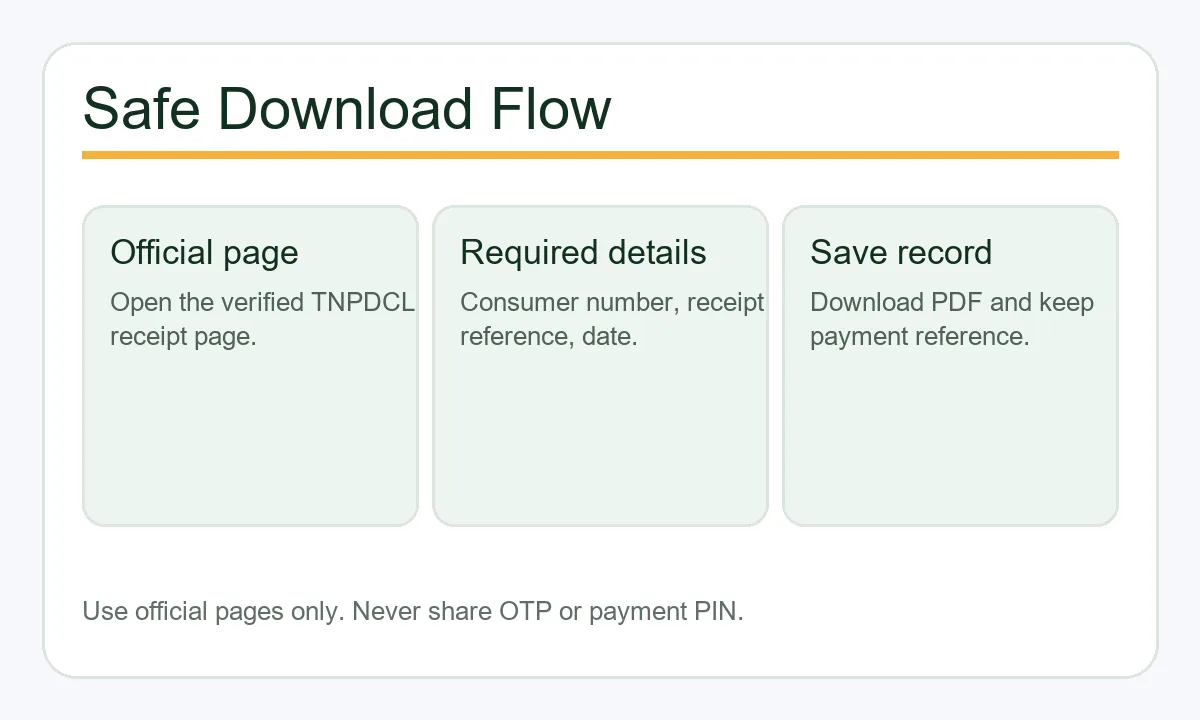
The official payment page can be busy near a deadline. Open it before the last few minutes, review the service name and amount, choose the supported payment route, and wait for a clear success or failure message. If your bank shows a debit but the electricity page is still pending, save the transaction reference and use the status or complaint route instead of launching another payment immediately.
Keep the bill PDF, receipt number, transaction date and a short note about the bill month. These records help support staff distinguish a wrong date from a pending payment, an arrear or a delayed bill posting.
Official verification
Use the official record for the final answer
This independent guide explains where to look; it does not access your connection or confirm a personal balance. For the final TNEB bill due date, amount and payment state, use the official TNPDCL/TANGEDCO payment or status route shown on the current bill. The official portal may change its address, working hours or labels, so use a trusted entry point and check the domain before entering any account information.
The historical supply-code source is linked for context only. It does not override a newer order, a changed service category or the date printed on your bill.
Avoidable mistakes
Six mistakes that make a deadline harder to trust
A date check fails when the source, period or payment state is mixed with a different record.
Copying an old bill date
The previous billing cycle is not evidence for the current TNEB bill due date. Open the current bill or official account view.
Treating a notice period as extra free time
A notice about possible disconnection is not an invitation to ignore the payment date. Pay by the issued deadline whenever possible.
Using a third-party link as proof
A third-party page may explain the steps, but it cannot confirm your balance or receipt. Check the official domain before entering details.
Repeating a payment after a debit
A bank debit can be pending. Check the official payment status and keep the transaction reference before trying again.
Ignoring service category
Domestic, commercial and HT services can follow different billing terms. Match the guide to the category printed on the bill.
Sharing payment secrets
Support does not need an OTP, UPI PIN, card PIN or banking password to explain a due date. Keep those credentials private.
FAQ
TNEB bill due date questions
How can I check my TNEB bill due date online?
Open the official TNPDCL/TANGEDCO payment or Quick Pay route, enter the connection details requested by that service, and compare the bill month, amount and due date. This site does not access consumer accounts.
Is the TNEB bill last date the same for every consumer?
No. The date can depend on the bill issued, service category, billing period and current instructions. Use your current bill or official account view rather than a general number copied online.
Where is the due date printed on a TNEB bill?
Look near the bill month, amount payable or payment summary. The label can be due date, last date or similar wording. If it is not visible, open the official e-bill or status view and keep the bill reference.
Does the consumer meter card show a payment deadline?
A consumer meter card can record readings and serve as a notice for a low-tension connection. The exact current date still belongs to the issued bill and official instructions.
What should I do if the due date has passed?
Check the current official amount and payment status, then use an authorised payment or support route. Do not assume a historical surcharge or notice rule applies unchanged to your connection.
Can I pay on a public holiday?
Payment availability and date treatment can vary. Check the official portal's current message and pay early enough to allow for a network delay. Keep the time-stamped receipt.
Why does Quick Pay show a different date?
The views may refer to different bill periods, a delayed posting or a changed account record. Save both references, verify the current bill month and ask official support before paying twice.
Does this guide calculate my exact bill?
No. The TNEB bill calculator can provide an educational estimate from units, but only the official account record confirms the exact amount due, date and payment status.